
The best moodboard app depends on what the board is for. A stylist assembling an outfit, a designer presenting a direction, and somebody making a phone wallpaper all need different things from the canvas.
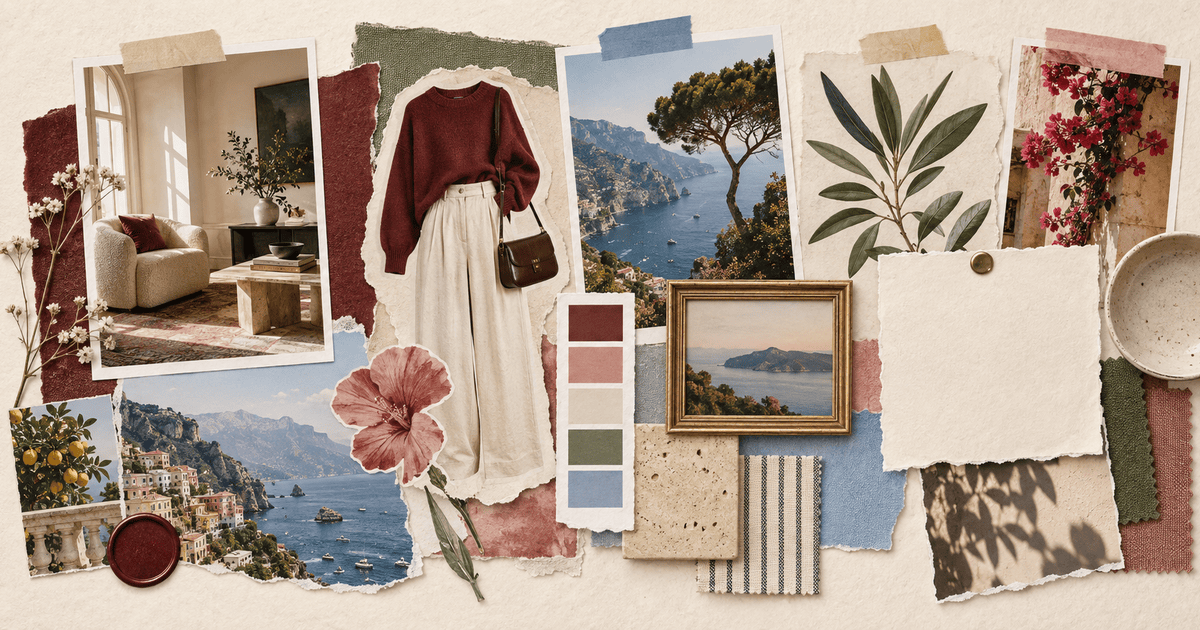
The quick answer: Pick Jodu for tactile, animated moodboards made from templates, your photos, and Pinterest pins. Pick Milanote for professional research, Canva or Adobe Express for broad design libraries, and Apple Freeform for collaborative planning.
Best moodboard apps at a glance
| App | Best for | Main strength |
|---|---|---|
| Jodu | Aesthetic and animated moodboards on iPhone | Templates, animated canvas items, automatic cutouts and Pinterest import |
| Milanote | Creative research and client work | Mixed media, notes, files and feedback |
| Canva | Fast polished boards | Large template and asset library |
| Adobe Express | Template-led social graphics | Quick layouts and familiar Adobe ecosystem |
| Apple Freeform | Shared planning | Infinite canvas and Apple-device collaboration |
App features and pricing change. Check the current listing before choosing a workflow for an important long-term project.
1. Jodu: best for a tactile moodboard on iPhone
Jodu is a collage-first app. Instead of treating the moodboard like a presentation slide, it gives you templates and a freeform canvas where images can be cut out, overlapped, framed and mixed with paper textures.
The distinctive feature is the path from Pinterest to finished board. You can import pins from your boards, add private camera-roll photos beside them, and keep every item editable as a layer. Automatic cutouts run on-device, so your photos do not leave the iPhone for subject isolation. Items on the canvas can also be animated, giving the finished moodboard movement without switching to another app.
Jodu suits fashion direction, room ideas, visual diaries, travel boards and personal vision boards. It is free forever.
For the exact workflow, see how to turn a Pinterest board into a collage or make a vision board on iPhone.
2. Milanote: best for professional creative research
Milanote treats a moodboard as part of a project. Boards can contain images, videos, animated GIFs, PDFs, design files, fonts, color swatches and written notes. A web clipper helps collect references, and sharing tools support comments and approval.
That makes Milanote strong for brand direction, interior design, photography, film and client presentations. Its mobile apps help collect ideas on the go; the fuller workspace is especially suited to larger screens.
3. Canva: best for a broad template library
Canva offers a large collection of moodboard templates and a drag-and-drop editor with stock photography, graphics, fonts and sharing tools. It is a reliable choice when the board needs to look polished quickly or match another Canva document.
Templates are also the tradeoff. They make alignment easy, but can pull different projects toward the same visual rhythm. Start blank or change the spacing aggressively if you want the board to feel personal.
4. Adobe Express: best for quick Adobe-style layouts
Adobe Express offers editable moodboard templates and a browser-based creation workflow. It works well for a clean presentation board, social graphic or companion asset when you already use other Adobe tools.
Use it when speed and structured layout matter more than tactile freeform layering.
5. Apple Freeform: best for collaborative planning
Apple Freeform provides a boundless board for photos, videos, links, files, sticky notes, handwriting and drawings. Boards can sync through iCloud and be shared for live collaboration.
It is excellent for planning a trip, room or group project. It is not primarily a finished-image editor, so automatic cutouts, scrapbook effects and social-ready export are not its focus.
Choose by the job, not the feature count
Personal, animated or scrapbook board
Use Jodu when you want to begin with a template or blank canvas, animate items, and make the final board feel handmade.
Client-facing creative direction
Use Milanote when references need notes, files, feedback and approval. Use Canva or Adobe Express when a polished template is more important than an open research space.
Shared idea dump
Use Freeform when several Apple users need to collect links, sketches and notes together without worrying about a final layout yet.
How to make a better moodboard in any app
- Write the idea in one sentence before collecting images.
- Gather widely, then remove at least half.
- Choose one dominant image.
- Repeat a small palette rather than adding every color you like.
- Mix scale: one large image, several medium references and a few tiny details.
- Add material samples or typography only when they clarify the direction.
- Check the board at thumbnail size. The main feeling should still be obvious.
Frequently asked questions
What is the best free moodboard app for iPhone?
It depends on the output. Jodu is free forever and is designed for finished aesthetic or animated moodboards. Apple Freeform is included on current Apple devices for collaborative planning.
Which moodboard app works with Pinterest?
Jodu can import pins from your Pinterest boards and combine them with templates, animated canvas items, and your own photos. Pinterest itself is useful for collecting and organizing the source images.
What is the difference between a moodboard and a vision board?
A moodboard communicates a visual direction—colors, materials, imagery and tone. A vision board represents desired goals or experiences. They can use the same collage tools, but the purpose and captions are different.
Can I make a moodboard from my own photos?
Yes. Every app above can accept your images in some form. Jodu is especially useful when you want to isolate people or objects from those photos and combine the cutouts with Pinterest inspiration.