
Pinterest is where the inspo lives. The problem starts when you want to do something with it. You've got a board full of perfect pins, and Pinterest itself gives you nowhere to actually arrange them into a moodboard, a collage, or a page of your own. So people go looking for apps like Pinterest that handle the making part. Here's what works.
Two different jobs
It helps to split what you're doing in two:
- Collecting. Saving and organizing inspiration. Pinterest is still the best at this, and nothing here replaces it.
- Making. Turning that inspiration into something, a collage, a moodboard, a vision board. This is the part Pinterest leaves to other apps.
The apps below are about the making, and the best ones connect to Pinterest so you don't have to screenshot anything.
Jodu: turn your pins into collages
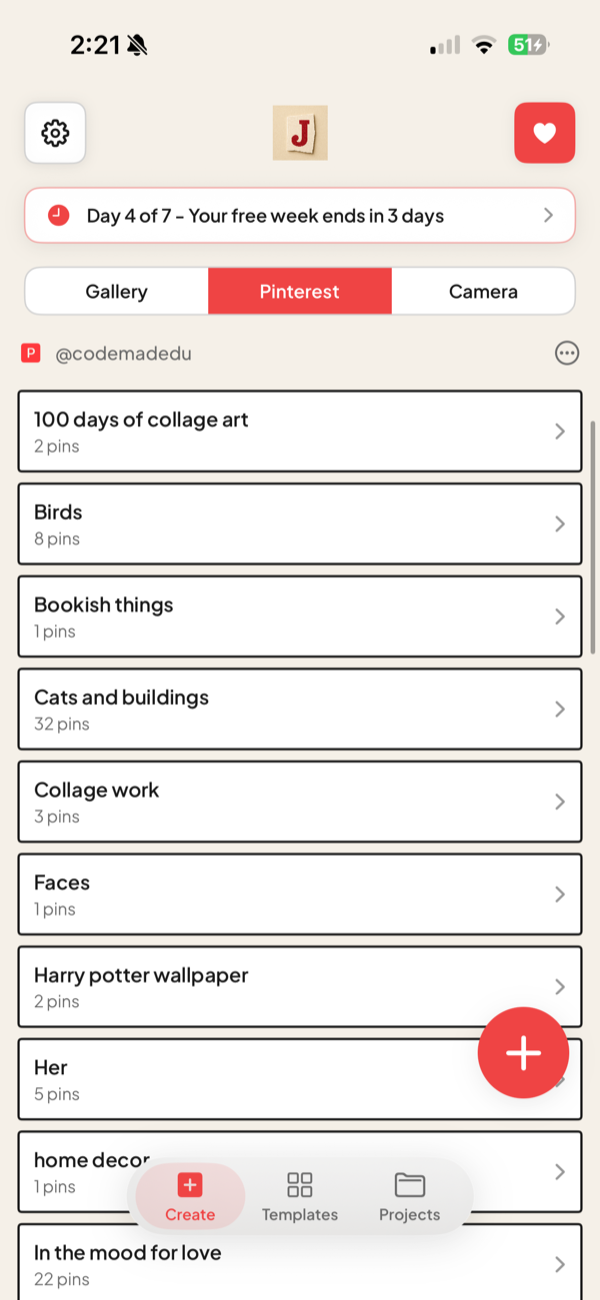
Jodu is a free-to-download iPhone app that bridges the two jobs. It connects to Pinterest, pulls your pins in, and gives you a real canvas to build on.
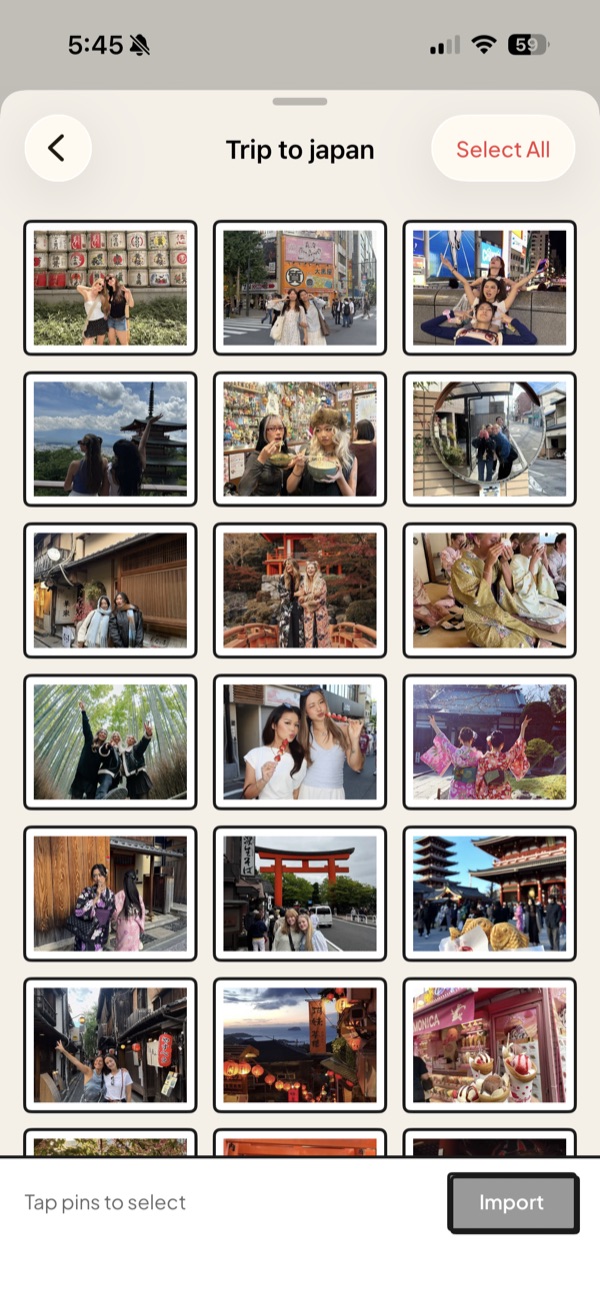
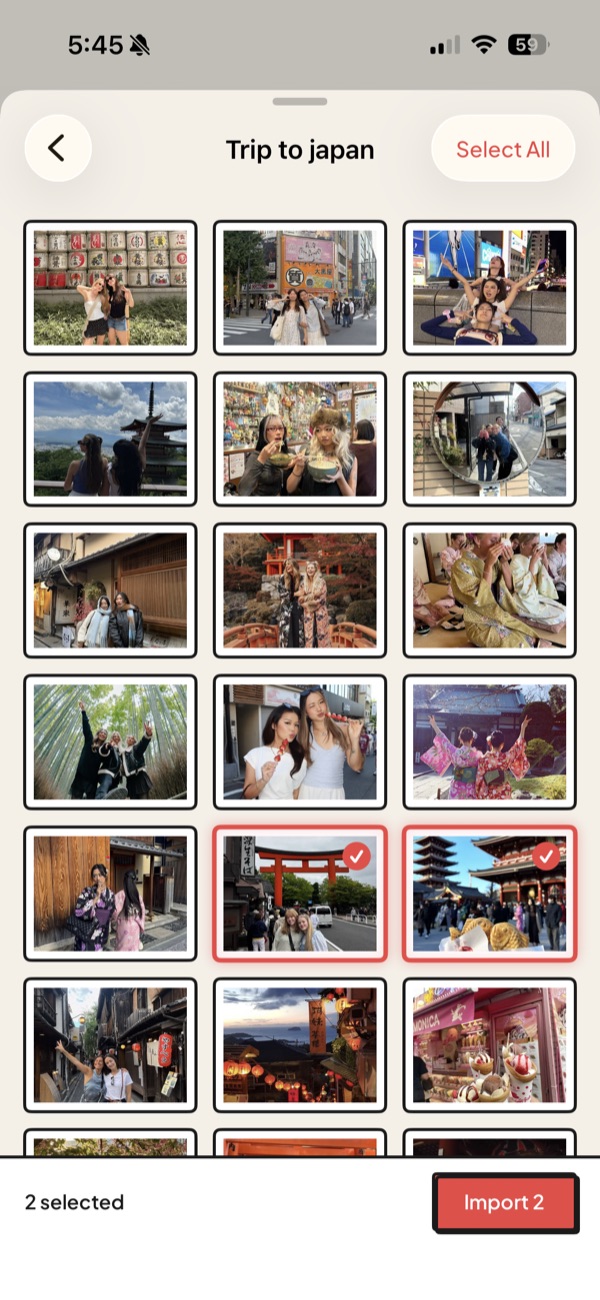
- Import pins directly. Connect Pinterest and bring pins from your boards straight onto the canvas, no screenshots. Here's the full Pinterest import walkthrough.
- Mix in your own photos. Add shots from your camera roll alongside the pins, all on one board, with no Jodu account to set up.
- Make it yours. One-tap cutouts, frames, paper textures, 40+ fonts, and a freeform canvas with layers, so a pile of pins becomes a designed page.
- Keep your work. Boards save to your device so you can come back and rework them.
If Pinterest is where you collect, Jodu is where you build.
What about Shuffles?
Shuffles is Pinterest's own collage app, so it's the most Pinterest-native option here. It does cutouts and stacking and pulls from Pinterest's library. It also leans on a Pinterest account and is built more for quick remixes than for boards you keep and rework. There's a full comparison in apps and websites like Shuffles.
Which one to use
- Want to keep collecting, stay on Pinterest.
- Want to turn your pins into a collage or moodboard, use Jodu.
- Want everything tied to your Pinterest account for quick remixes, try Shuffles.
This post is part of our guide to the best aesthetic collage apps for iPhone, which covers moodboards, vision boards, and scrapbook pages too.
FAQ
Is there an app like Pinterest where I can make collages?
Yes. Jodu connects to Pinterest, imports your pins, and lets you arrange them into a collage on a freeform canvas, which is the part Pinterest itself doesn't do.
Can I make a collage from my Pinterest pins?
Yes. In Jodu, connect Pinterest, pick a board, and import the pins straight onto the canvas, then move, frame, and cut them out like any photo. No screenshots needed.
What is the best app to turn Pinterest pins into a moodboard?
Jodu, for importing pins and building the board yourself, or Shuffles if you want a Pinterest-native app for quick remixes.
Do these apps replace Pinterest?
No. Pinterest is still the best place to collect and organize inspiration. Apps like Jodu handle the next step, turning that inspiration into something you've made.