
Polyvore had a format nobody has fully replaced. You cut out a dress, a pair of shoes, a bag, and a backdrop, arranged them into a "set," and ended up with an outfit board that looked like a magazine page. It closed in 2018 after it was acquired, and years later people still search for it, because the thing it did so well never really came back.
If you're after a Polyvore alternative, here's what comes closest on an iPhone today.
What made Polyvore hard to replace
Polyvore was part product catalog, part collage tool, part community. The magic was the making. Pull elements, cut them out, lay them over a clean background, and style a set in a few minutes. Most apps that came after handled one piece of that and dropped the rest. The closest you can get now is a freeform collage app with quick cutouts, so you can build the same kind of board from images you choose yourself.
Jodu: the closest thing for building sets
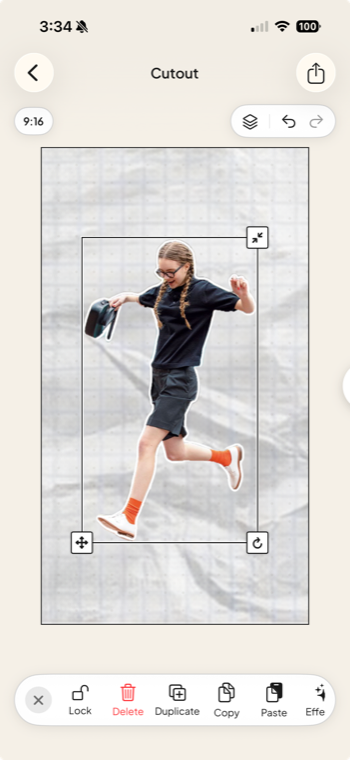
Jodu is a free-to-download iPhone app built around cutouts and freeform arranging, which is most of what Polyvore was about.
- One-tap cutouts. Drop in a photo of a piece and Jodu lifts it off its background on your device. Stack a few and you have the start of a set.
- Build from your own images. Add screenshots and photos from your camera roll, or pull pins from Pinterest. Either way you choose the pieces, with no account to set up.
- Style the page. Clean backgrounds, paper textures, frames, 40+ fonts for a caption or a price tag, and a freeform canvas where you place everything by hand.
- Keep and rework it. Boards save to your device, so you can tweak a set later instead of starting over.
The honest gap: Polyvore had a shopping catalog and a community feed wired in. Jodu is a tool for making the boards, so you bring the images yourself. For the styling and the arranging, which is the part people miss, it's the closest match.
What about Shuffles?
Shuffles, Pinterest's collage app, is the other name that comes up. It does cutouts and stacking and pulls from Pinterest, so it can get you part of the way to a Polyvore-style set. It leans on a Pinterest account and is built more for quick remixes than for boards you keep, so it suits a different mood. There's a full breakdown in apps and websites like Shuffles.
Make your first set
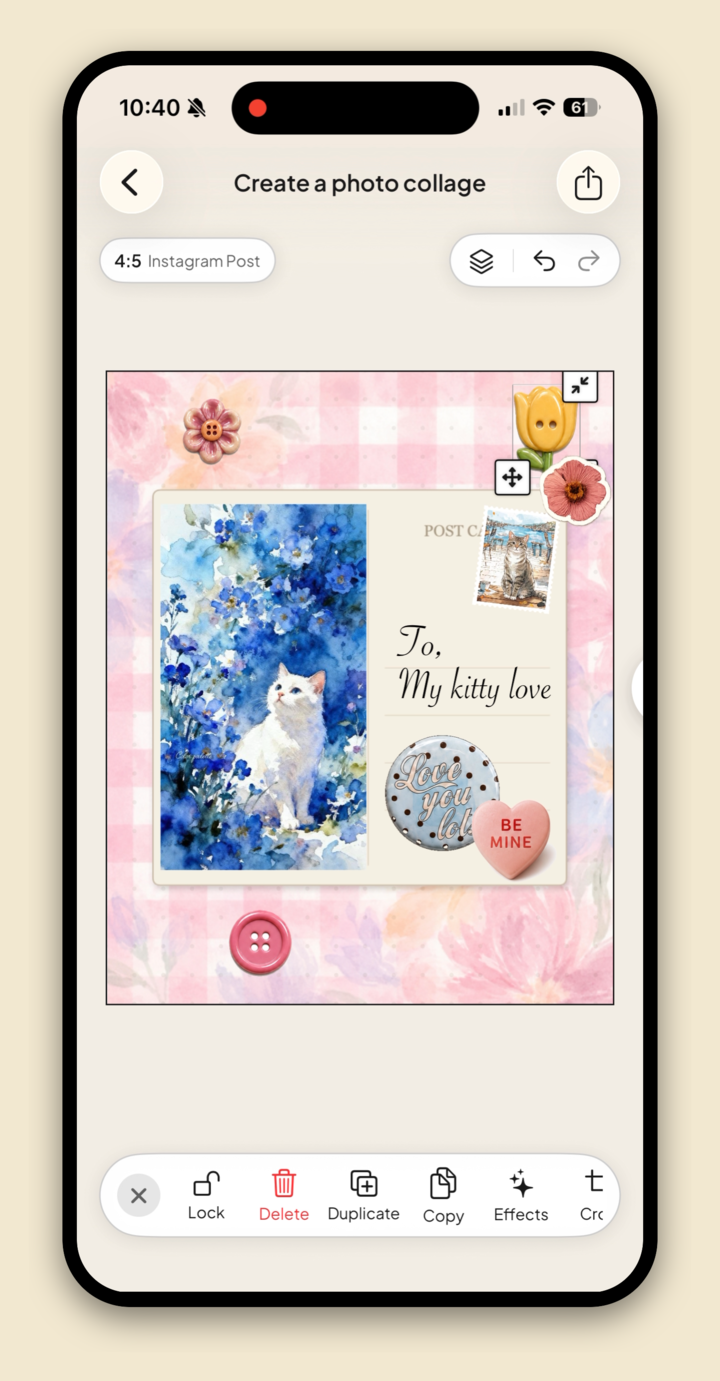
- Cut out three or four pieces and lay them over a plain background.
- Vary the sizes so one item anchors the board.
- Add a small caption or a date in a clean font.
- Overlap the corners a little so it reads as styled, not stacked.
The step-by-step is in how to make a collage on iPhone, and this post is part of our guide to the best aesthetic collage apps.
FAQ
What is the best Polyvore alternative?
For building the sets yourself, Jodu is the closest on iPhone. It does one-tap cutouts, freeform arranging, and styling tools like backgrounds and fonts. Shuffles is the other option if you want a Pinterest-connected app.
Is there an app like Polyvore for iPhone?
Yes. Jodu covers the cutout-and-arrange part of Polyvore, working from your own photos or from Pinterest, with no account required to start.
Why did Polyvore shut down?
Polyvore was acquired and then closed in 2018, and its set-and-style format was never brought back in the same form.
Can I make outfit collages on my phone?
Yes. In Jodu, add photos of each piece, tap Remove BG for clean cutouts, then arrange them on a background like a styled set.